
Start here
durable_queue demo: photo outbox
A small Flutter app that queues "photos" and uploads them, built with the durable_queue packages. Add photos, close the app, open it again: every photo is uploaded, and the server is told about each one exactly once.
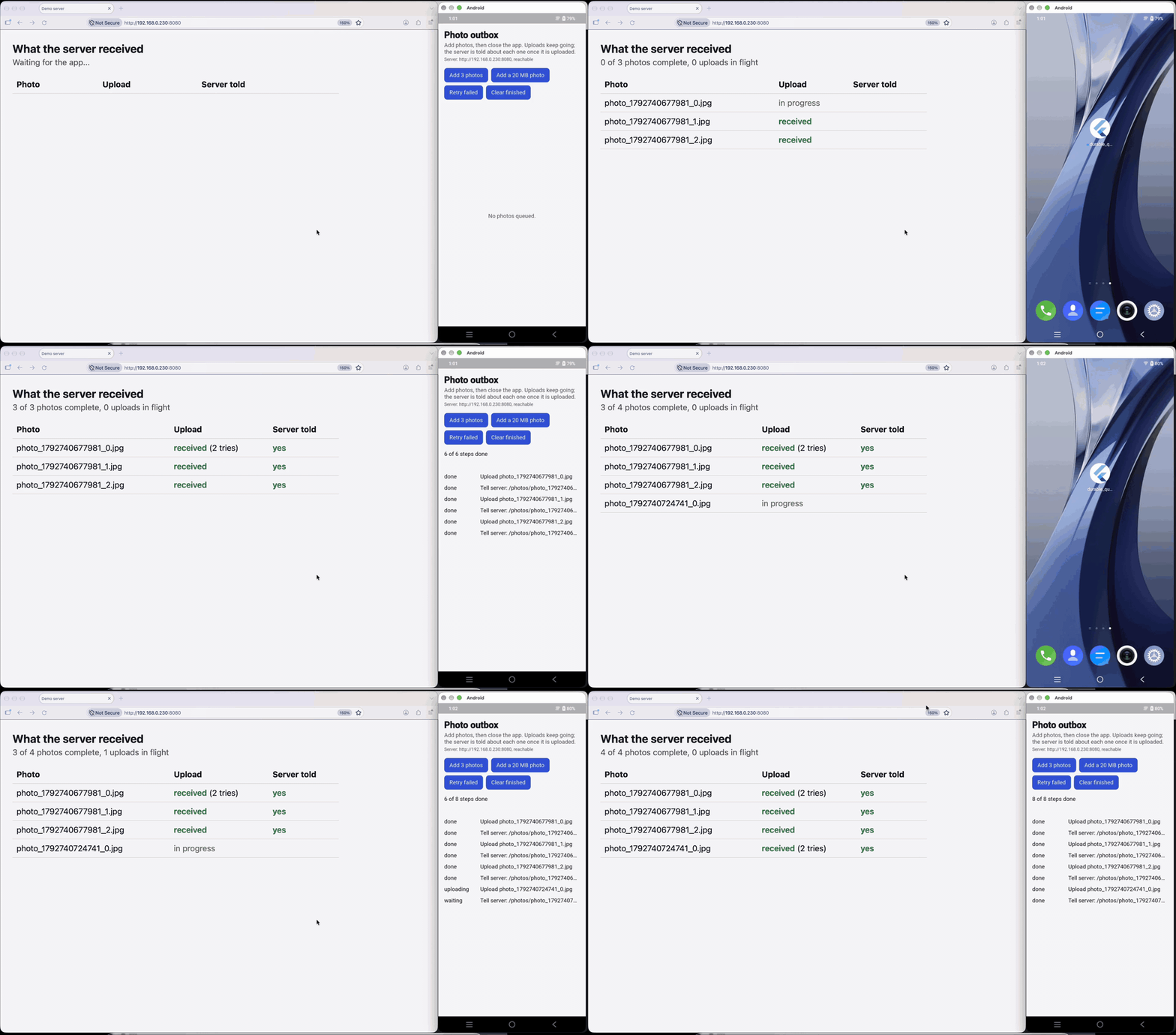
Full videos on real phones: iPhone (78 s) · Android (103 s). Photos are queued, the app goes to the home screen, and every upload still reaches the server, including ones whose first try the server failed on purpose.
The same app runs in CI on an Android emulator and an iOS simulator, where a test kills it in the middle of the uploads and checks the result (see Kill test).
What it shows
Each photo is queued as a chain of two tasks:
- Upload (
durable_queue_transfer): the operating system runs the upload throughbackground_downloader, so it continues while the app is in the background or closed. The queue task waits for the result. - Tell the server (
durable_queue_dio): a normalPOST /photos/<name>/done, queued as data withHttpRequestTask. It starts only after the upload succeeded, and waits while the device is offline (durable_queue_connectivity).
Everything is stored in SQLite (durable_queue_sqlite), so the queue survives restarts, and the list on screen is a QueueGroupBuilder from durable_queue_flutter. Failed steps are retried with exponential backoff; "Retry failed" puts tasks that ran out of attempts back in the queue.
The code is in lib/src/demo.dart (about 100 lines of setup) and lib/main.dart (the screen).
Run it
You need Flutter 3.47 or later.
-
Start the demo server on your computer:
cd examples/durable_queue_demo dart run tool/demo_server.dart -
Create the platform folders once (runs
flutter createand allows plain HTTP to your computer):bash tool/prepare_platforms.sh -
Run the app:
- Android emulator:
flutter run(the app talks tohttp://10.0.2.2:8080, the emulator's name for your computer) - iOS simulator:
flutter run --dart-define=DEMO_SERVER=http://localhost:8080 - A phone on your Wi-Fi:
flutter run --dart-define=DEMO_SERVER=http://<your computer's IP>:8080
- Android emulator:
Then tap Add 3 photos or Add a 20 MB photo, and close the app. To watch what the server receives, open http://localhost:8080/ on your computer: a live table of uploads and follow-ups (raw numbers at /stats).
On a phone, use your computer's IP address, and allow the app to use the local network when iOS asks. The line under the title says whether the app can reach the server; if it cannot, check that your computer's firewall allows incoming connections to dart. To make it harder, slow down or fail uploads:
curl -X POST localhost:8080/config -d '{"uploadDelayMs": 10000}'
curl -X POST localhost:8080/config -d '{"failEvery": 3}'
Kill test
tool/kill_test.dart runs on the computer next to an emulator or simulator with the demo installed:
- It starts the demo server and holds every upload for 60 seconds.
- It launches the app, which queues 6 photos (12 tasks).
- While uploads are in flight (the test fails if none is), it sends the app to the background and kills its process: on Android with
kill -9, as the system does when it needs memory; on the iOS simulator withsimctl terminate. - On Android it relaunches the app with Wi-Fi and mobile data off and checks that nothing is announced while offline, then turns the network back on.
- It relaunches the app and waits until all 12 tasks are completed.
- It checks that every photo was uploaded at least once and announced exactly once.
Uploads may run twice after a kill: delivery is at least once, and the test reports how many did. Announcements must not repeat, because each runs only after its upload task completed.
In CI: .github/workflows/device-tests.yml (tool/ci_android.sh, tool/ci_ios.sh). Locally, with an emulator running and the app built and installed the same way as those scripts do:
dart tool/kill_test.dart --platform android --app-id dev.boffincoders.durable_queue_demoLimits
- Results of uploads that finished while the app was closed are applied when the app next runs; the announcement follows then.
- If the user force-quits the app (swipes it away), the operating system may stop its uploads until the app is opened again.
- The server keeps everything in memory and is for the demo only.
This page is examples/durable_queue_demo/README.md in the repository. Suggest a change.